Event Categories in Alemity? Yes!
Having categories on the site for event publication seemed logical, but they were added only now. There were several reasons for this, one being the classic "that's how it's always been." But now there are categories, and that's great!
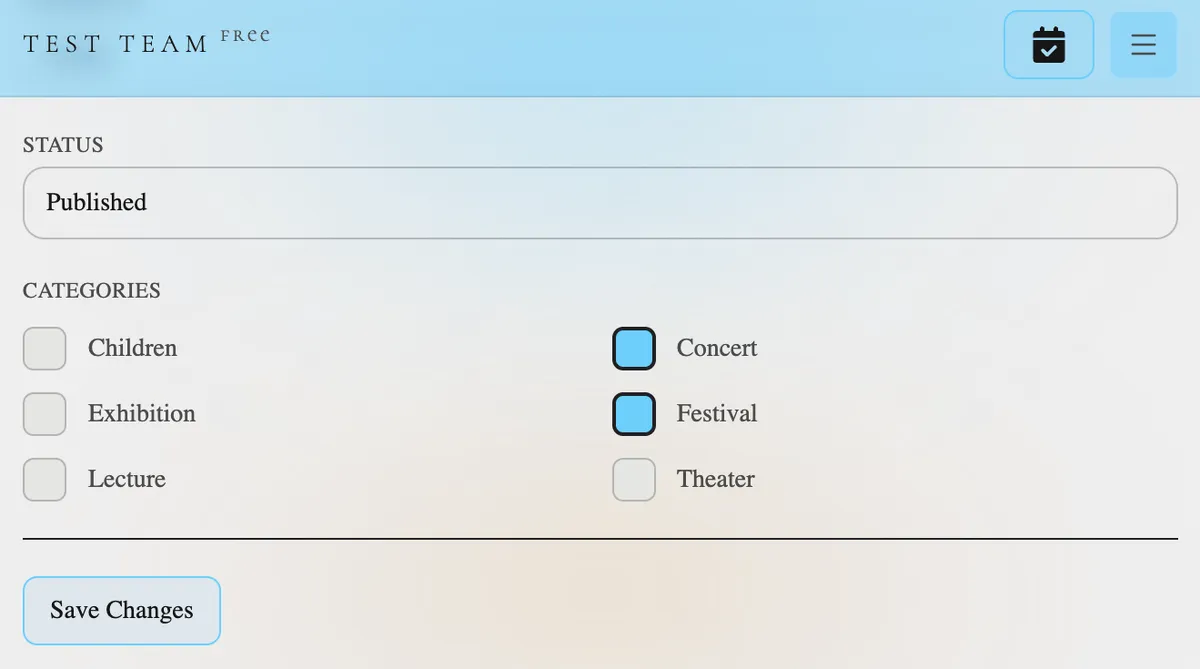
Why did I add event categories so late?
This is related to filters. Initially, the event list page had a text input field and three dropdown lists for selecting the country, region, and city, respectively. This setup was made at the start of the project, and I spent a long time figuring out how to better separate them. It was clear they needed to be separated: most people don't change their location often, so taking up a lot of space with location selection wasn't reasonable; but hiding the location selection deep in settings or the footer wasn't the best idea either.
So, I placed the location selection in the header, so it's always visible but doesn't take up much space. I simplified the event search filter form, leaving only the text input field, category selection (multiple selections possible), and the search button. That's it. Nothing extra.
Now, an organizer can choose any of the six presented categories or all of them. Why limit to just one when events can fall into multiple categories? I often go places, so I know that even unexpected combinations like lecture+concert are quite realistic 🤭
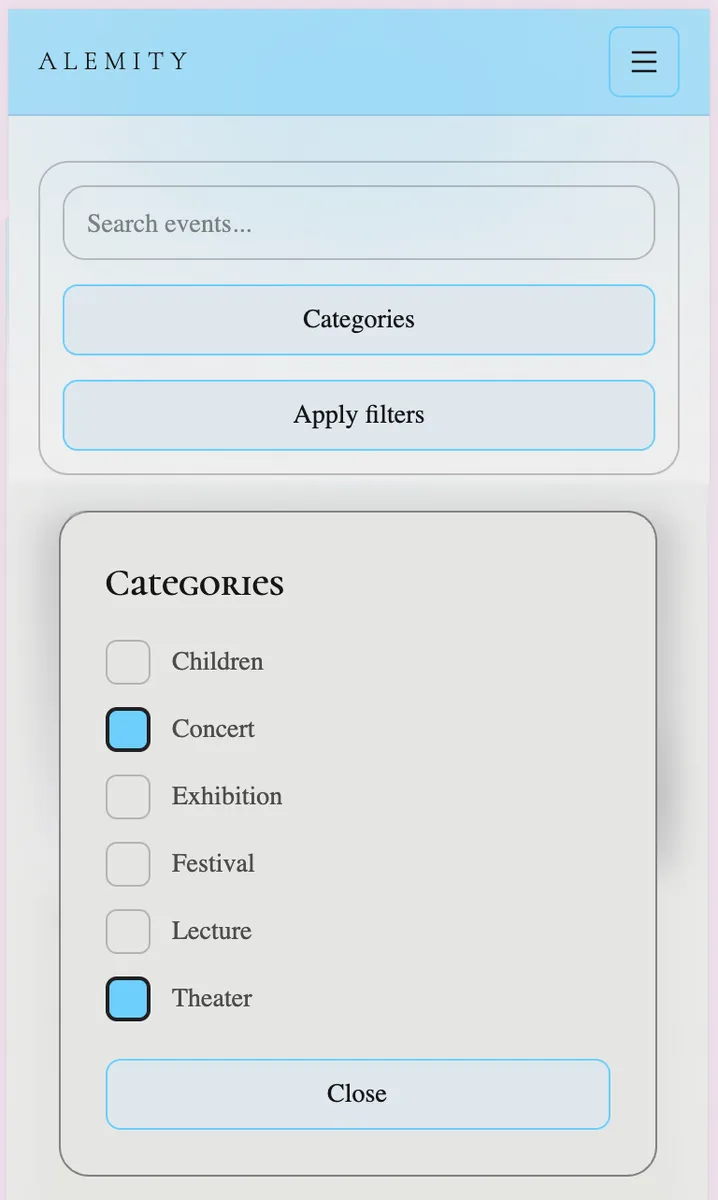
Visitors will also have no trouble filtering events by categories. It's all very simple and clear: 'Categories' button > select desired categories > 'Apply Filters'. That's it.
Yes, in the first screenshot there's a 'FREE' prefix next to the organizer name 'TEST TEAM'. What is it—I'll tell you another time. But here's a hint: professional organizers love detailed statistics, graphs, and reports. And I'm ready to pleasantly surprise them 👨💻